Plan the job in the order the work happens.
Dispatch is job planning, scheduling and quoting for contract renovation firms. Permits and inspections hold up the work behind them, the same as on site.
30 days free. No card needed.
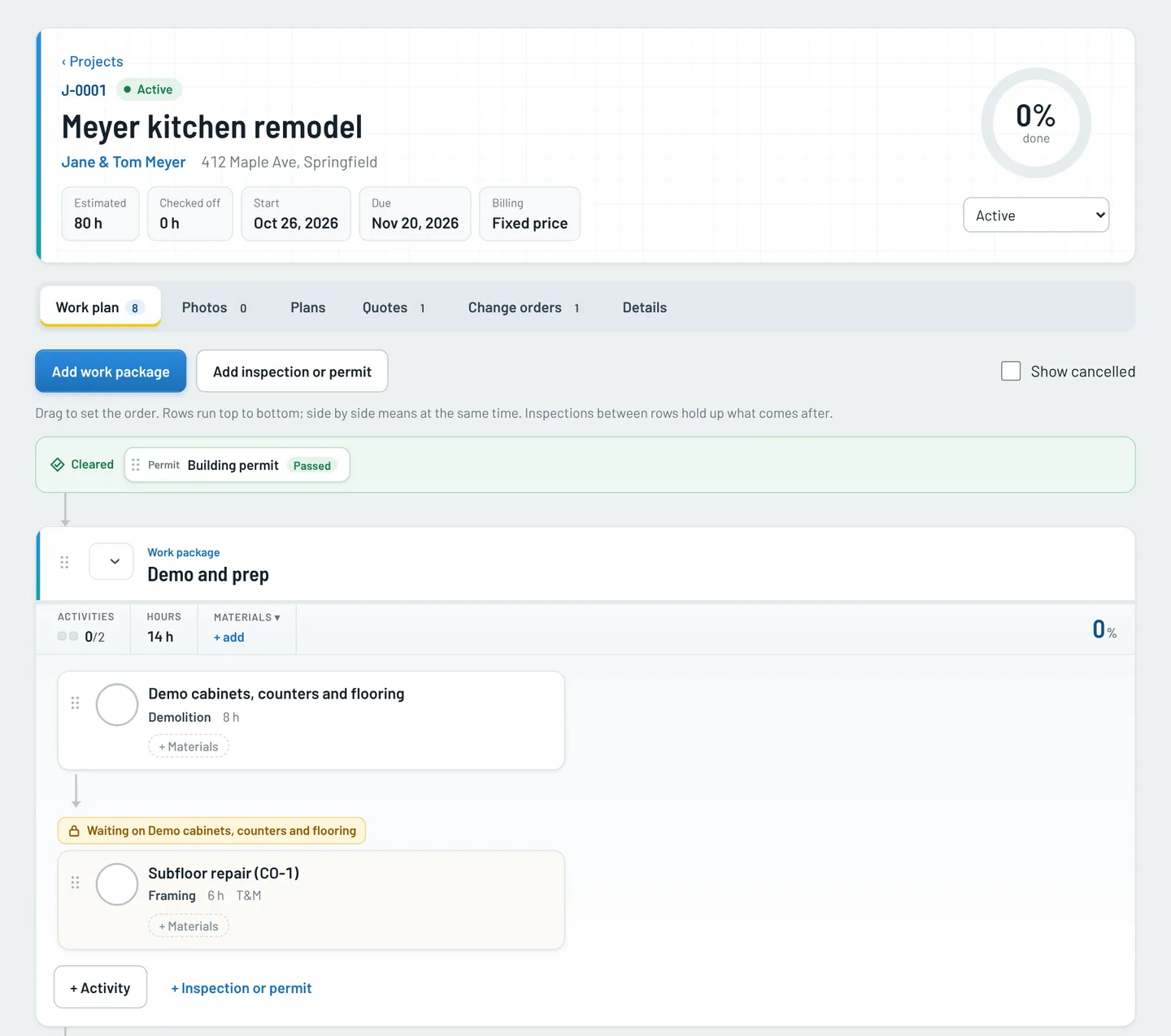
Drag work into the order it happens
Each job is a board of work packages and activities. Rows run top to bottom. Tiles side by side run at the same time. Put an inspection or permit between two rows and everything after it waits until it passes.
- A row that can't start yet says what it is waiting on.
- Add a wait between rows, like 24 hours for the mud to dry.
- Crews check activities off, and progress rolls up to the job.
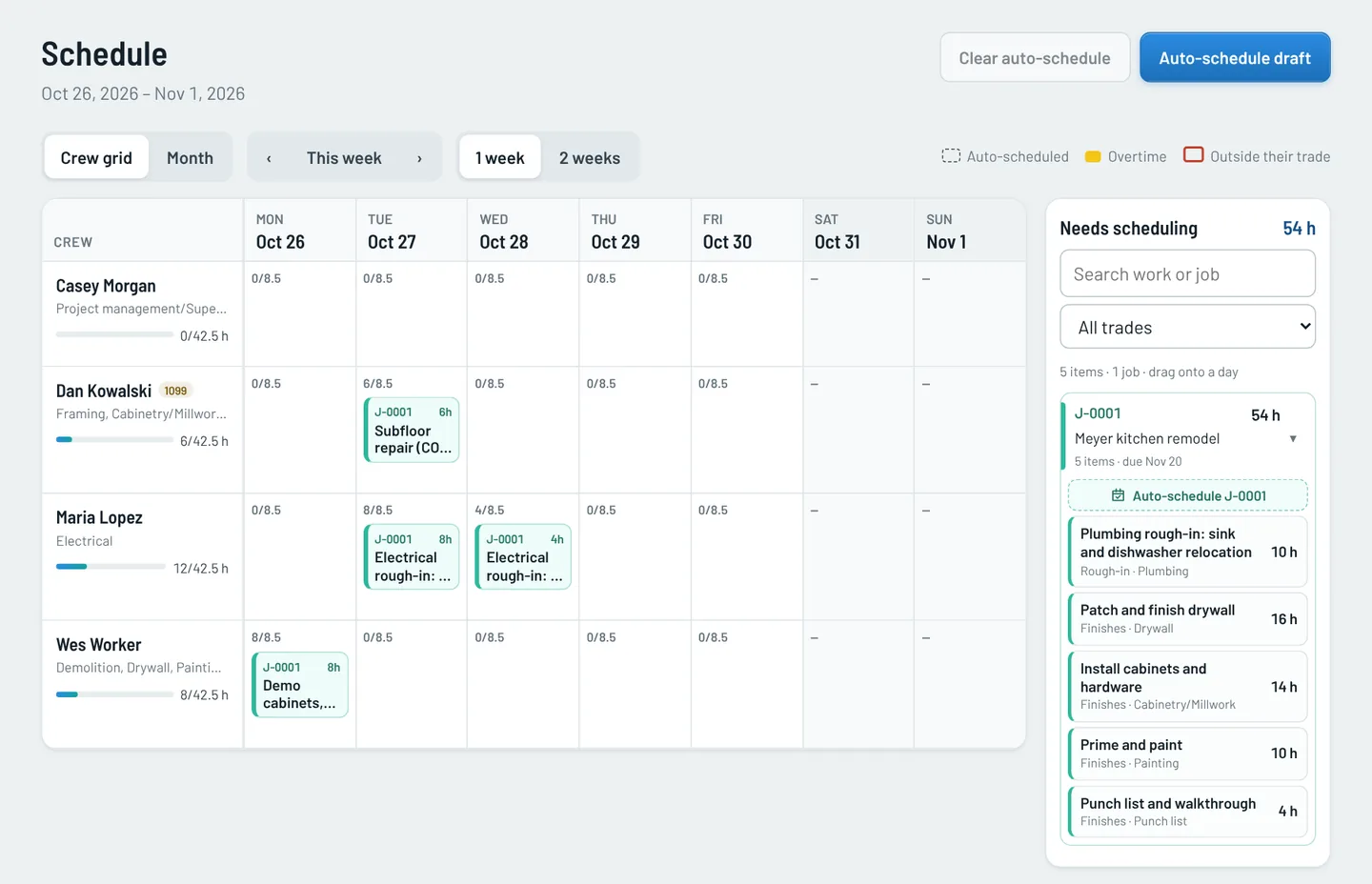
See every crew member's week at a glance
The crew grid shows who is booked on what, day by day, against the hours each person works. Work that still needs a day waits in a list beside it.
- Drag work from the list onto a day.
- Auto-schedule drafts the schedule; you adjust it.
- Overtime and work outside someone's trade are flagged.
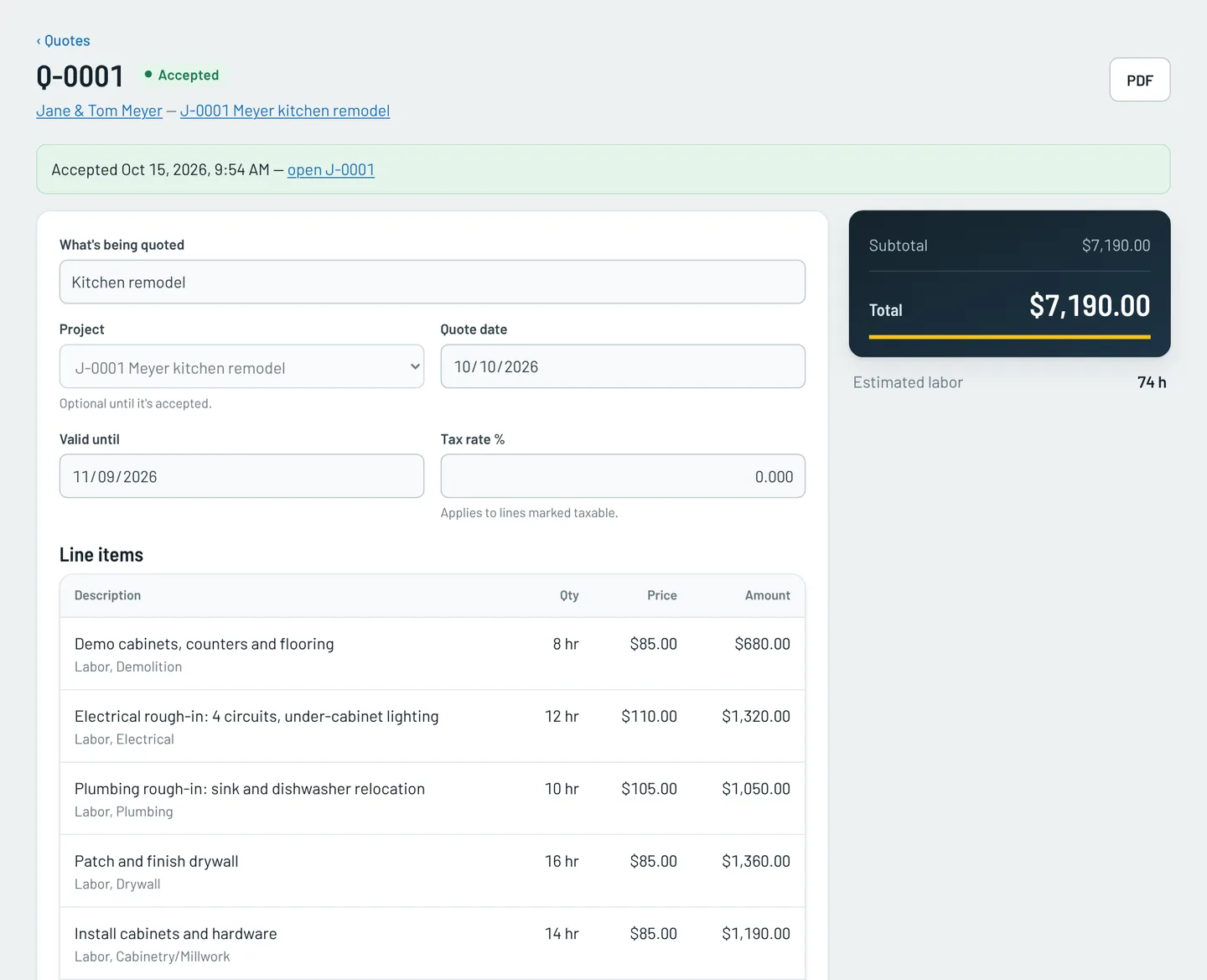
Quote line by line, then turn it into the job
Price labor, material and fees, group them under headings, and print a PDF. When the quote is accepted, the headings become work packages and the labor lines become activities.
- Labor rates fill in from the customer's bill rate.
- A sent quote is locked. To change it, make a new version.
- Photos from the walkthrough can go on the PDF.
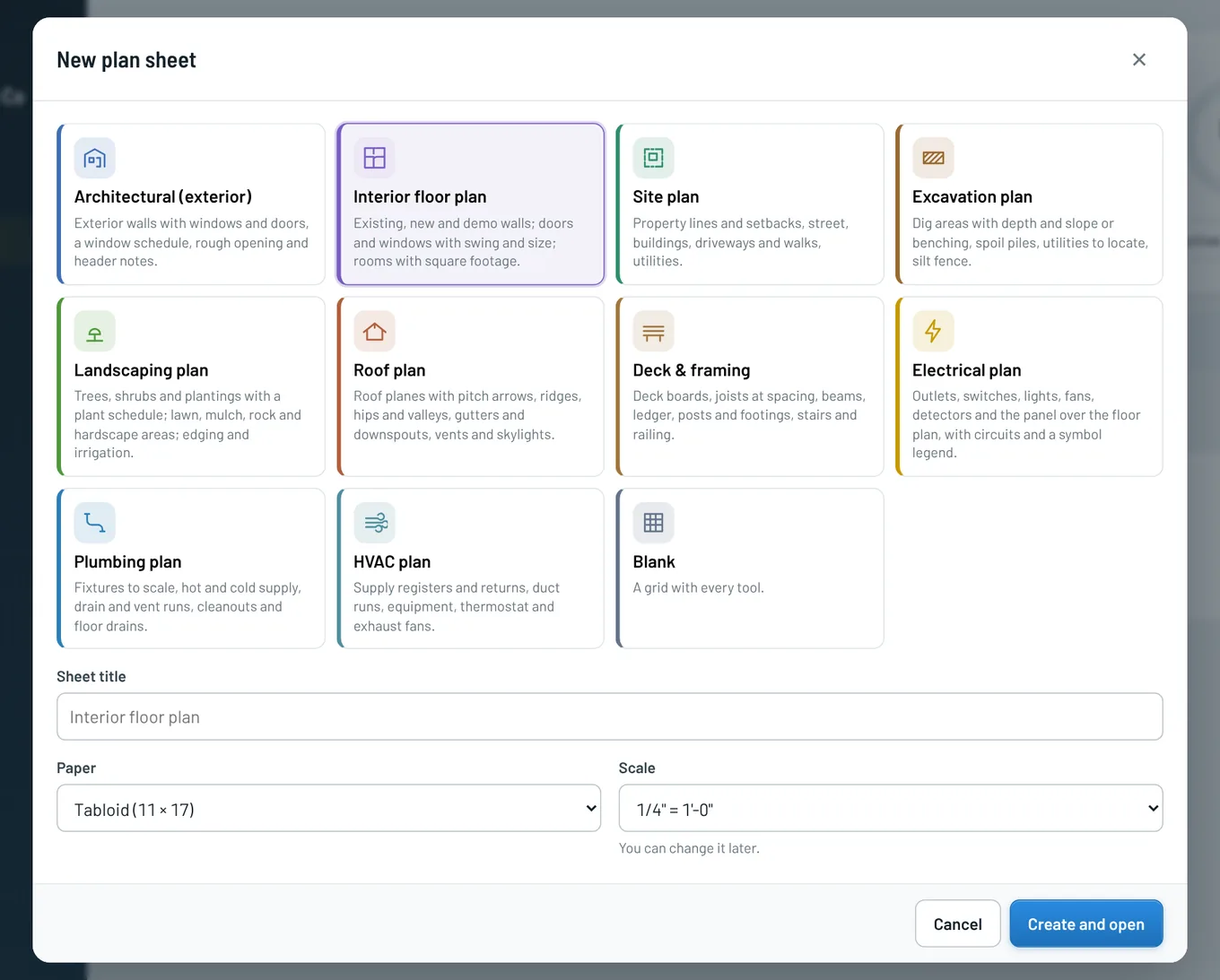
Draw the plan sheets. Bundle the permit packet.
Start from one of eleven sheets (floor plan, site plan, roof, electrical, plumbing, HVAC and more), draw to scale in the browser, and print with a title block. Then put the sheets and photos you choose behind a cover sheet as one permit packet.
- Sheets are drawn in feet and inches, at the scale you pick.
- A packet is tied to the permit on the job's work plan.
Know who can do what, and who is free
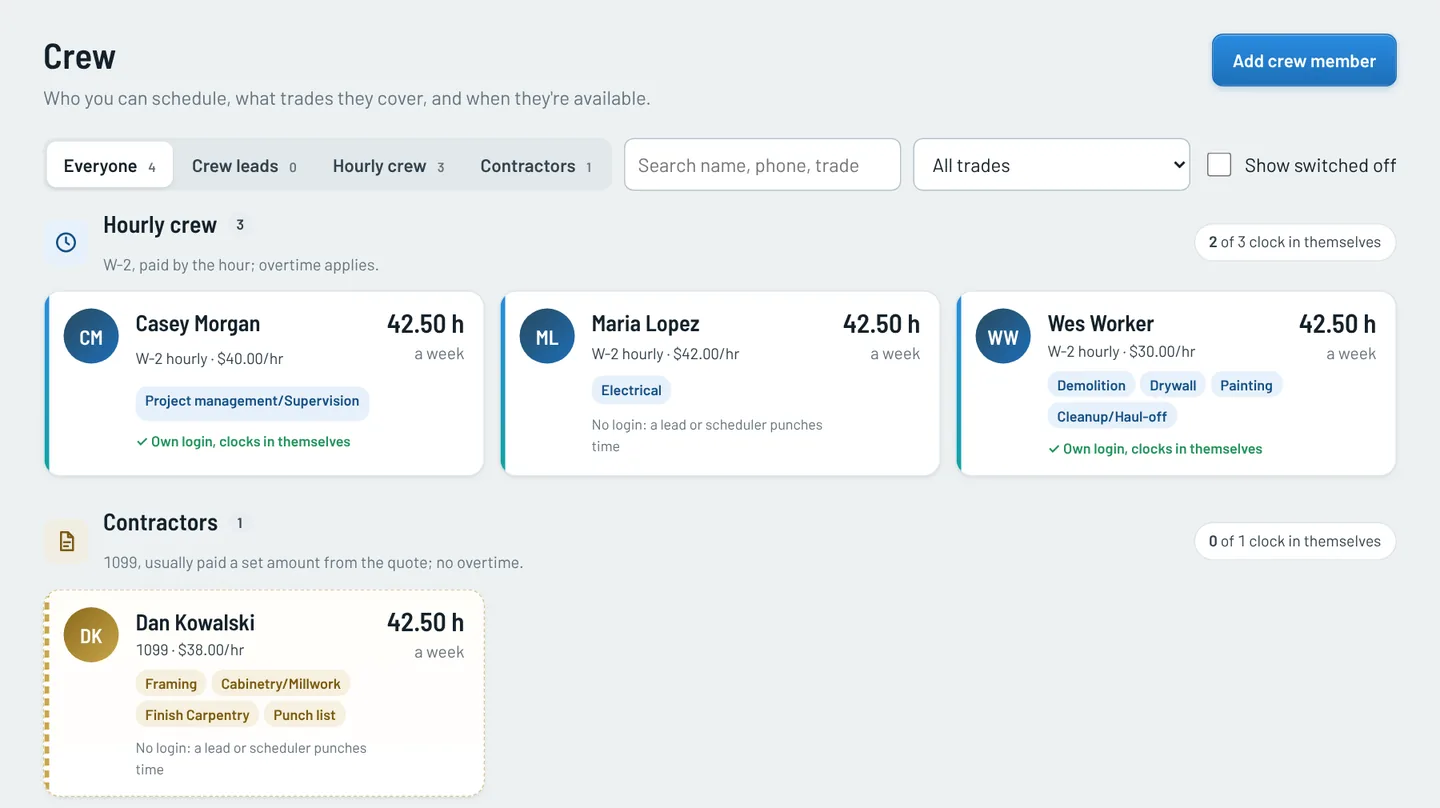
Keep W-2 crew and 1099 contractors apart, with the trades each person covers and what they cost per hour. Give a person a login and they sign in themselves. Everyone else is scheduled without one.
- Overtime applies to hourly crew and not to contractors.
- Each person has weekly hours and trades, so the schedule can tell who is free and who fits the work.
The rest of the toolbox
Customers
Customer records, each with its own bill rates.
In every planDashboard
Active jobs, who is on the clock, and what needs attention today.
In every planTime clock
Crew clock in and out from a phone, even with no signal. Corrections never erase the original punch.
Coming soon to ProChange orders
Extra work priced, with a private link the customer opens to approve by typing their name.
From ProPhotos
Before, during and after photos on quotes and jobs, with notes drawn on top.
From ProPick the plan that fits the firm
Each plan includes everything in the one before it. Pricing depends on the size of your crew, so we quote it. Contact us and we will send it over.
Starter
For a small firm that wants every job planned and quoted properly.
Pro
For firms running several jobs at once with a crew in the field.
Enterprise
For larger firms that draw plans and pull permits in house.
Try it with the Starter features, no card needed. If you haven't subscribed by day 30, your company and its data are deleted. Start a free trial.